
环境 主机名IP地址服务 prometheus192.168.237.137prometheus、grafana node-exporter192.168.237.131node_exporter 容器化部署prometheus1、安装docker
[root@prometheus ~]# docker versionClient: Docker Engine - Community Version:20.10.11 API version:1.41 Go version: go1.16.9 Git commit: dea9396 Built:Thu Nov 18 00:36:58 2021 OS/Arch:linux/amd64 Context:default Experimental:trueServer: Docker Engine - Community Engine:Version:20.10.11API version:1.41 (minimum version 1.12)Go version:go1.16.9Git commit:847da18Built:Thu Nov 18 00:35:20 2021OS/Arch:linux/amd64Experimental:false containerd:Version:1.4.12GitCommit: 7b11cfaabd73bb80907dd23182b9347b4245eb5d runc:Version:1.0.2GitCommit: v1.0.2-0-g52b36a2 docker-init:Version:0.19.0GitCommit: de40ad02、运行prometheus容器
//拉取镜像[root@prometheus ~]# docker pull prom/prometheusUsing default tag: latestlatest: Pulling from prom/prometheus3cb635b06aa2: Pull complete 34f699df6fe0: Pull complete 33d6c9635e0f: Pull complete f2af7323bed8: Pull complete c16675a6a294: Pull complete 827843f6afe6: Pull complete 3d272942eeaf: Pull complete 7e785cfa34da: Pull complete 05e324559e3b: Pull complete 170620261a59: Pull complete ec35f5996032: Pull complete 5509173eb708: Pull complete Digest: sha256:cb9817249c346d6cfadebe383ed3b3cd4c540f623db40c4ca00da2ada45259bbStatus: Downloaded newer image for prom/prometheus:latestdocker.io/prom/prometheus:latest//在/opt目录下提供prometheus的默认配置文件[root@prometheus ~]# ls /opt/prometheus.yml//运行容器##--restart always 总是重启,开机自启## 将本地提供的配置文件映射到容器,ro 容器内只读[root@prometheus ~]# docker run --name prometheus -d --restart always -p 9090:9090 -v /opt/prometheus.yml:/etc/prometheus/prometheus.yml:ro prom/prometheus:latest a0ba5535f0ea3b0f44574fd237802f2ef19f4624c3752c3bf8122a4d79a26428[root@prometheus ~]# docker psCONTAINER IDIMAGE COMMANDCREATEDSTATUSPORTSNAMESa0ba5535f0eaprom/prometheus:latest"/bin/prometheus --c…"11 seconds agoUp 11 seconds0.0.0.0:9090->9090/tcp, :::9090->9090/tcpprometheus//查看端口[root@prometheus ~]# ss -anltuNetidStateRecv-QSend-QLocal Address:PortPeer Address:PortProcesstcpLISTEN01280.0.0.0:220.0.0.0:*tcpLISTEN01280.0.0.0:90900.0.0.0:*tcpLISTEN0128[::]:22[::]:*tcpLISTEN0128[::]:9090[::]:*使用ip+9090/targets访问prometheus默认网页
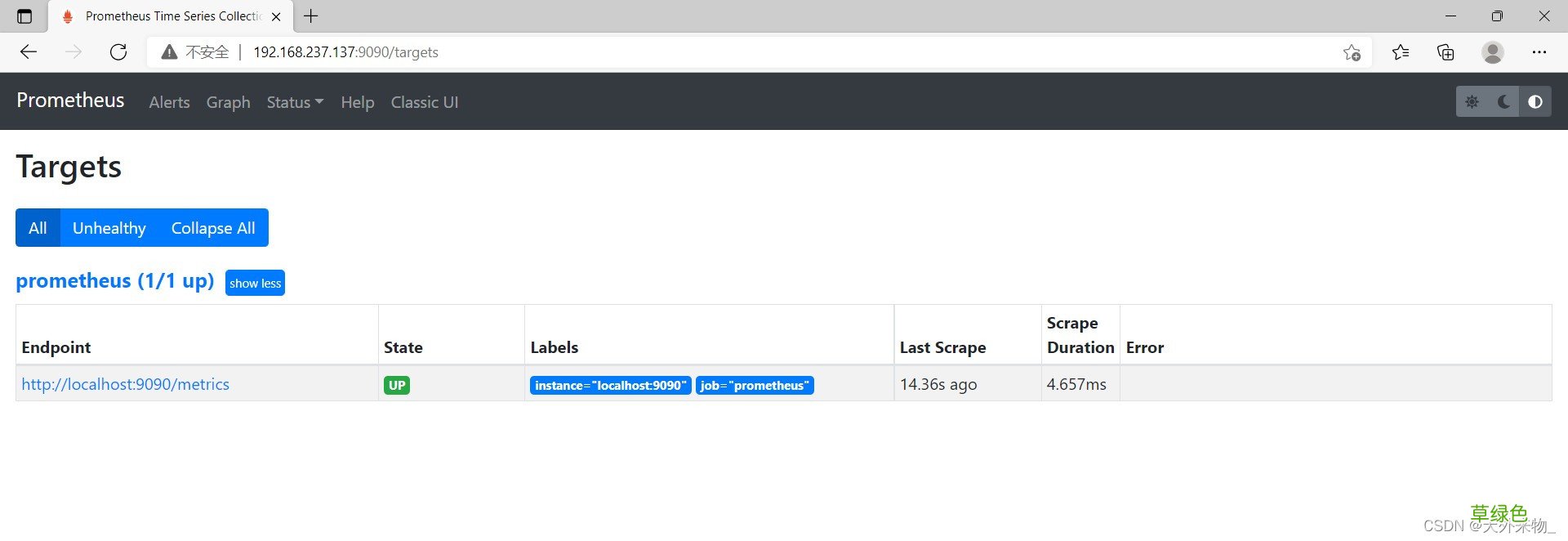
文章插图
部署node_exporter//下载安装包[root@node-exporter ~]# wget https://github.com/prometheus/node_exporter/releases/download/v1.3.0/node_exporter-1.3.0.linux-amd64.tar.gz[root@node-exporter ~]# lsanaconda-ks.cfgnode_exporter-1.3.0.linux-amd64.tar.gz//解压[root@node-exporter ~]# tar xf node_exporter-1.3.0.linux-amd64.tar.gz -C /usr/local/[root@node-exporter ~]# mv /usr/local/node_exporter-1.3.0.linux-amd64/ /usr/local/node_exporter[root@node-exporter ~]# ls /usr/local/binetcgamesincludeliblib64libexecnode_exportersbinsharesrc//编写service文件,启动并开机自启[root@node-exporter ~]# cat /usr/lib/systemd/system/node_exporter.service[unit]Description=The node_exporter ServerAfter=network.target[Service]ExecStart=/usr/local/node_exporter/node_exporterRestart=on-failureRestartSec=15sSyslogIdentifier=node_exporter[Install]WantedBy=multi-user.target[root@node-exporter ~]# systemctl daemon-reload [root@node-exporter ~]# systemctl enable --now node_exporter.service Created symlink from /etc/systemd/system/multi-user.target.wants/node_exporter.service to /usr/lib/systemd/system/node_exporter.service.[root@node-exporter ~]# systemctl status node_exporter.service ● node_exporter.serviceLoaded: loaded (/usr/lib/systemd/system/node_exporter.service; enabled; vendor preset: disabled)Active: active (running) since 四 2021-12-30 19:26:59 CST; 8s ago Main PID: 27878 (node_exporter)CGroup: /system.slice/node_exporter.service└─27878 /usr/local/node_exporter/node_exporter//查看端口[root@node-exporter ~]# ss -anltuNetid StateRecv-Q Send-QLocal Address:PortPeer Address:PorttcpLISTEN0128*:22*:*tcpLISTEN0128[::]:22[::]:*tcpLISTEN0128[::]:9100[::]:*## node-exporter部署成功就可以在Prometheus主机上添加节点进行监控添加节点到prometheus中修改本地prometheus.yml文件
//修改配置文件[root@prometheus ~]# tail -8 /opt/prometheus.yml scrape_configs:# The job name is added as a label `job=
成功添加节点
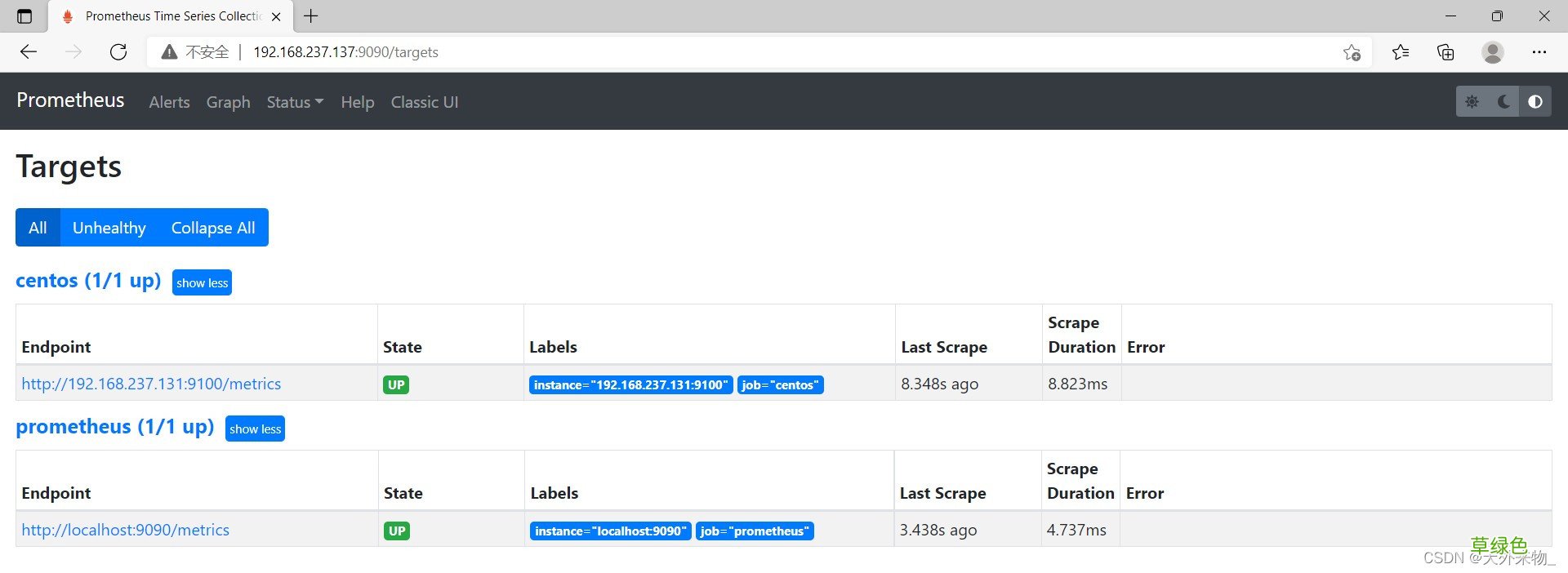
文章插图
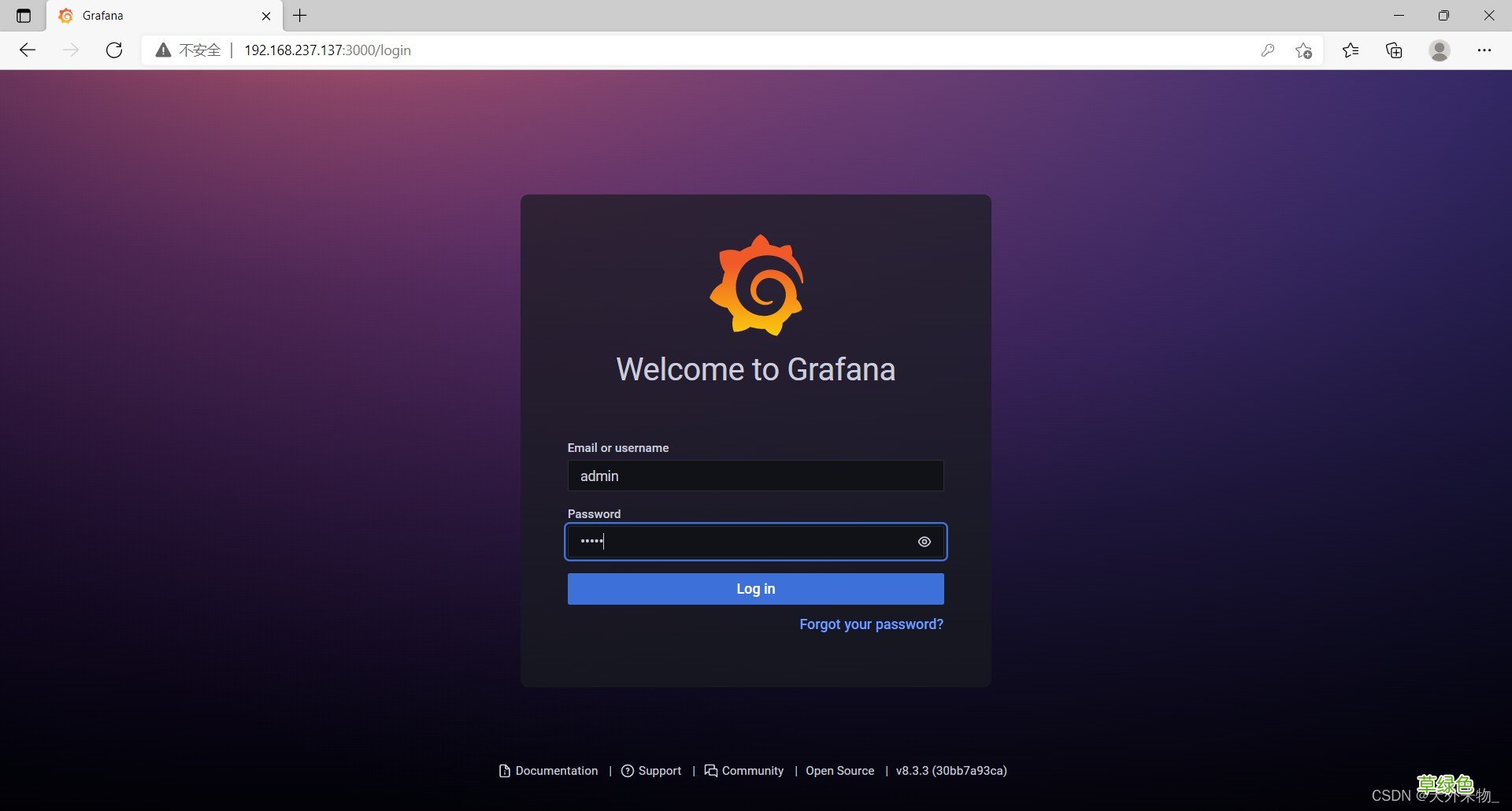
部署grafana画图工具//拉取grafan/grafan官方镜像[root@prometheus ~]# docker pull grafana/grafanaUsing default tag: latestlatest: Pulling from grafana/grafana97518928ae5f: Pull complete 5b58818b7f48: Pull complete d9a64d9fd162: Pull complete 4e368e1b924c: Pull complete 867f7fdd92d9: Pull complete 387c55415012: Pull complete 07f94c8f51cd: Pull complete ce8cf00ff6aa: Pull complete e44858b5f948: Pull complete 4000fdbdd2a3: Pull complete Digest: sha256:18d94ae734accd66bccf22daed7bdb20c6b99aa0f2c687eea3ce4275fe275062Status: Downloaded newer image for grafana/grafana:latestdocker.io/grafana/grafana:latest[root@prometheus ~]# docker imagesREPOSITORY TAGIMAGE IDCREATED SIZEprom/prometheuslatesta3d385fc29f912 days ago201MBgrafana/grafanalatest9b957e0983152 weeks ago275MB//使用官方grafana镜像运行容器[root@prometheus ~]# docker run -d --name grafana -p 3000:3000 --restart always grafana/grafana0b5986fc63442538a6fae845e5d1b8afc78caec4f4bdd81ca3623eb1329ad562[root@prometheus ~]# docker psCONTAINER IDIMAGE COMMANDCREATEDSTATUSPORTSNAMES0b5986fc6344grafana/grafana"/run.sh"4 seconds agoUp 2 seconds0.0.0.0:3000->3000/tcp, :::3000->3000/tcpgrafanaa0ba5535f0eaprom/prometheus:latest"/bin/prometheus --c…"33 minutes agoUp 6 minutes0.0.0.0:9090->9090/tcp, :::9090->9090/tcpprometheus//查看端口[root@prometheus ~]# ss -anltuNetidStateRecv-QSend-QLocal Address:PortPeer Address:PortProcesstcpLISTEN01280.0.0.0:220.0.0.0:*tcpLISTEN01280.0.0.0:30000.0.0.0:*tcpLISTEN01280.0.0.0:90900.0.0.0:* tcpLISTEN0128[::]:22[::]:*tcpLISTEN0128[::]:3000[::]:*tcpLISTEN0128[::]:9090[::]:*使用prometheus主机IP地址192.168.129.205 + 端口号3000在浏览器中访问
默认账号:admin 密码:admin
文章插图
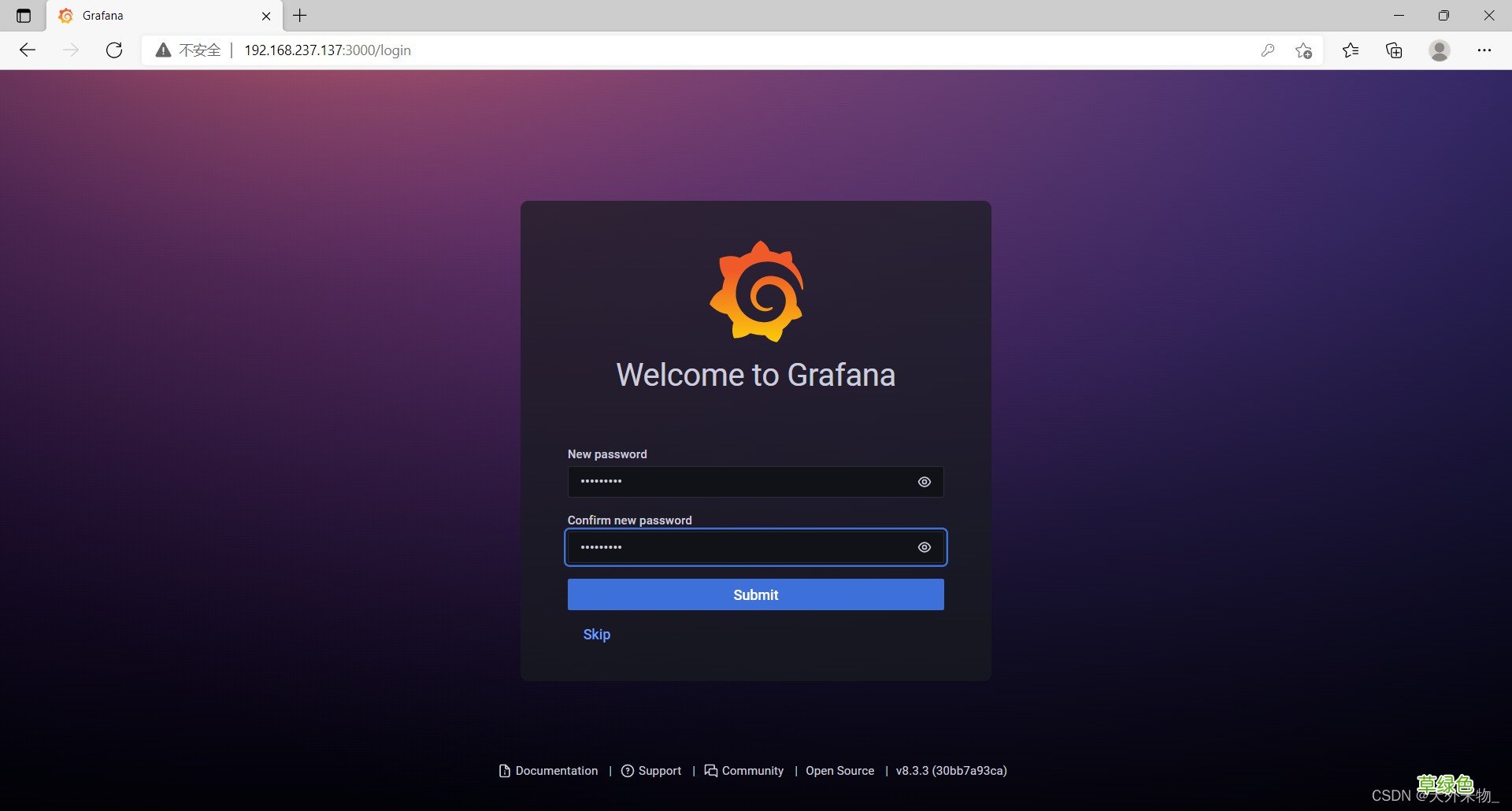
修改密码
文章插图
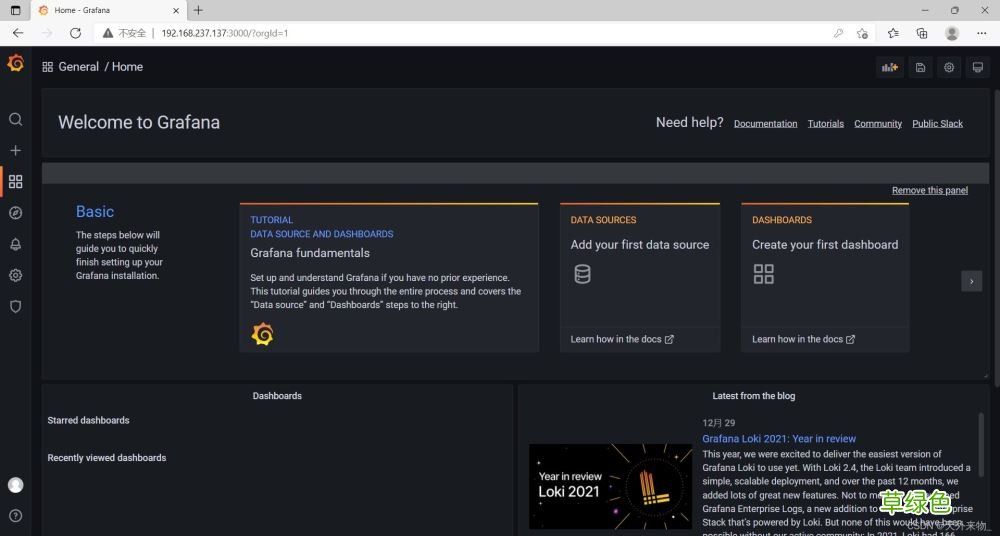
首页
文章插图
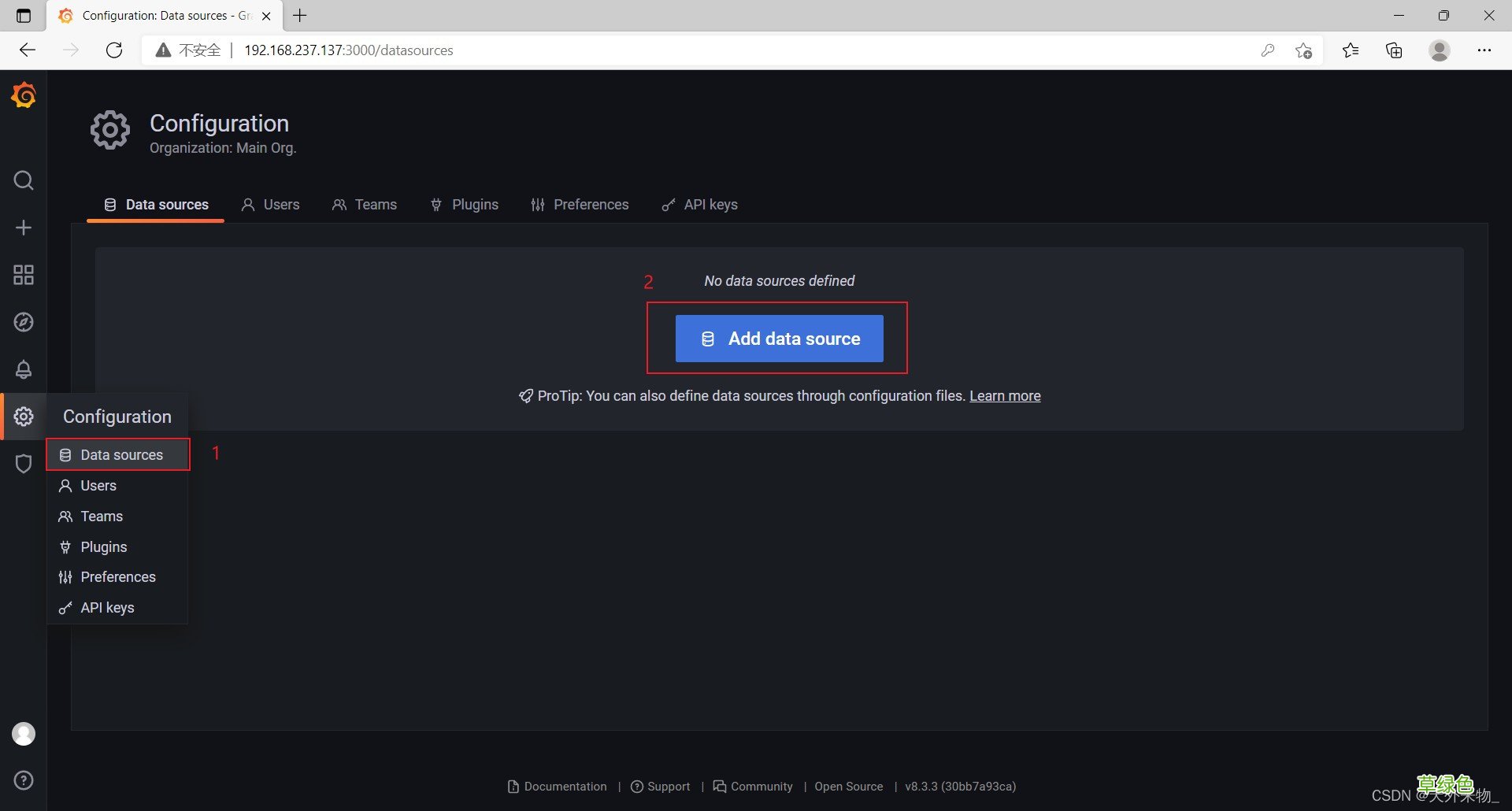
添加数据源
文章插图
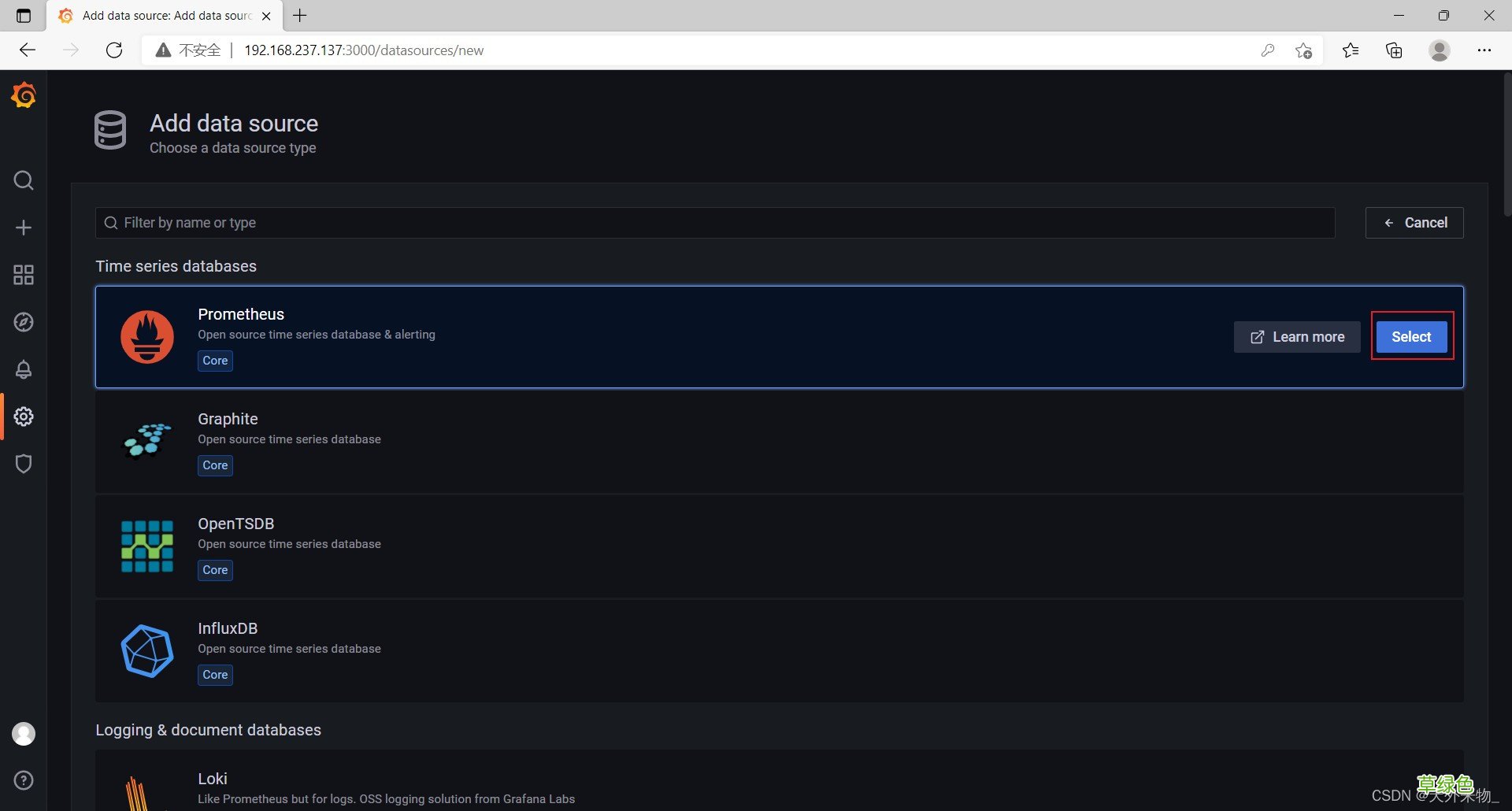
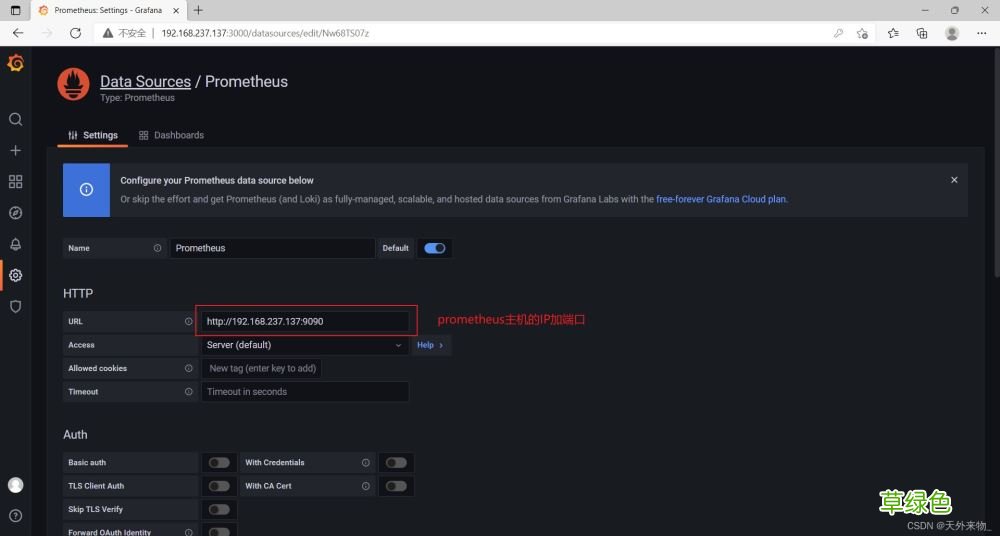
数据源选择prometheus
文章插图
文章插图
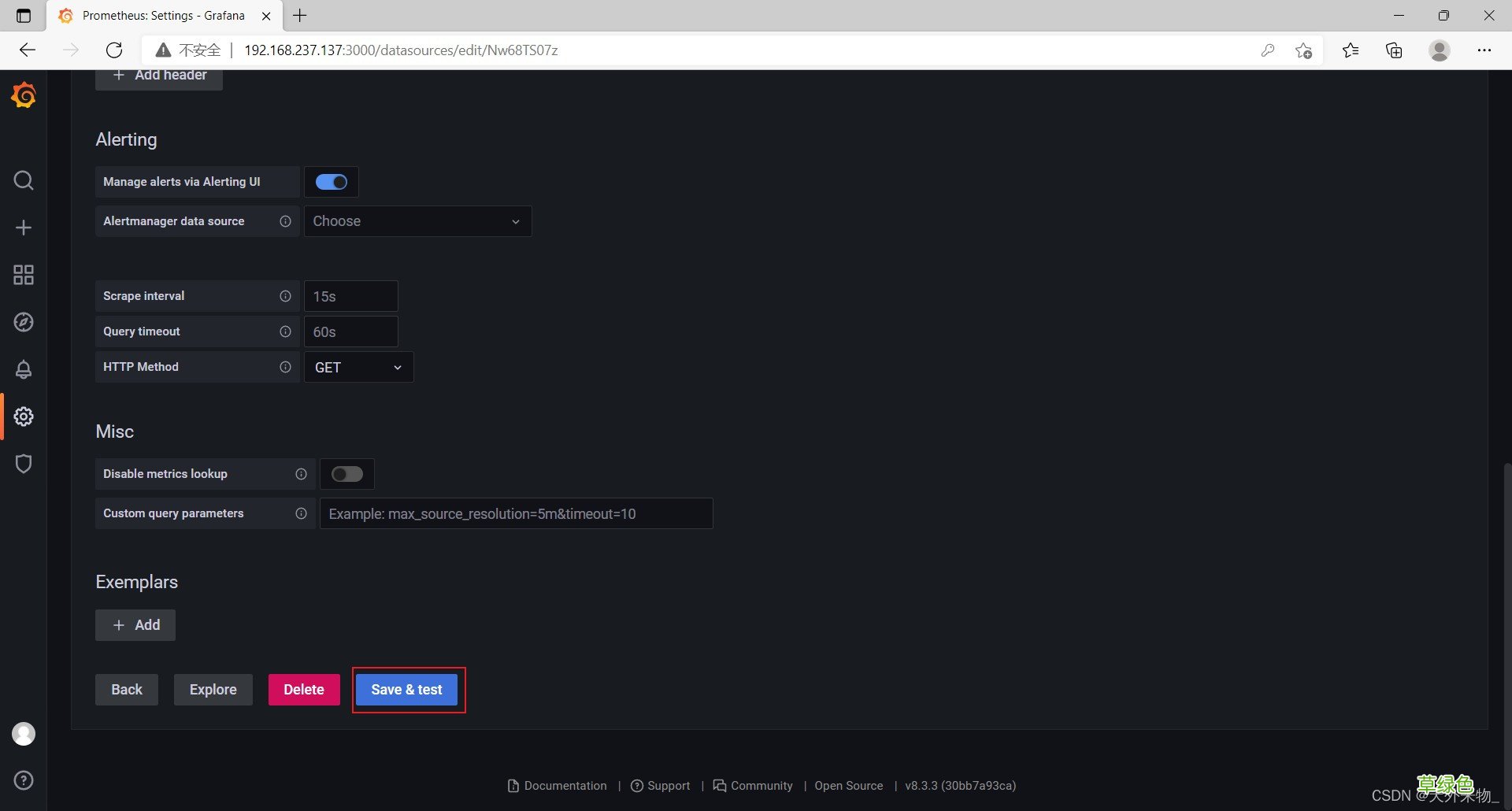
文章插图
导入仪表盘
模板地址
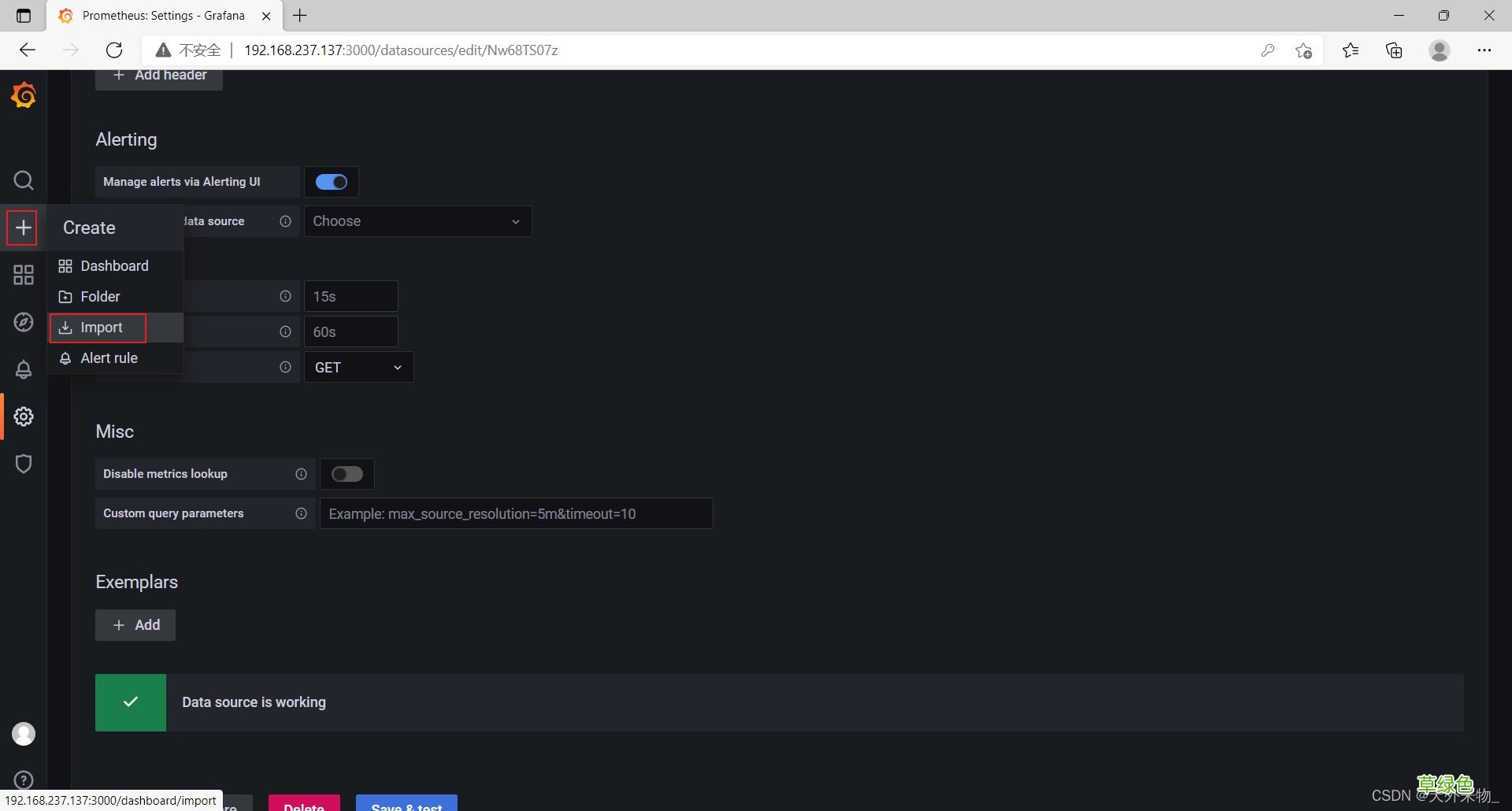
文章插图
模板ID为9276
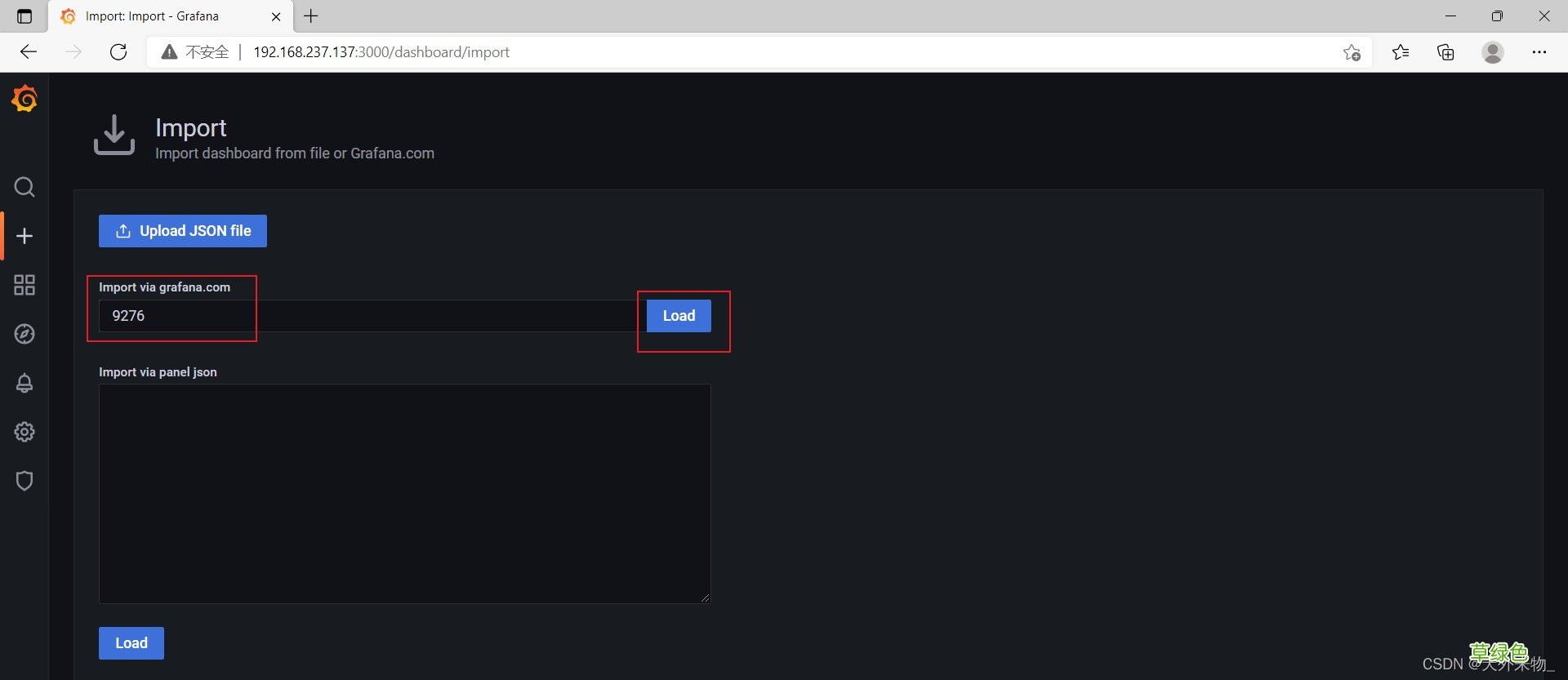
文章插图
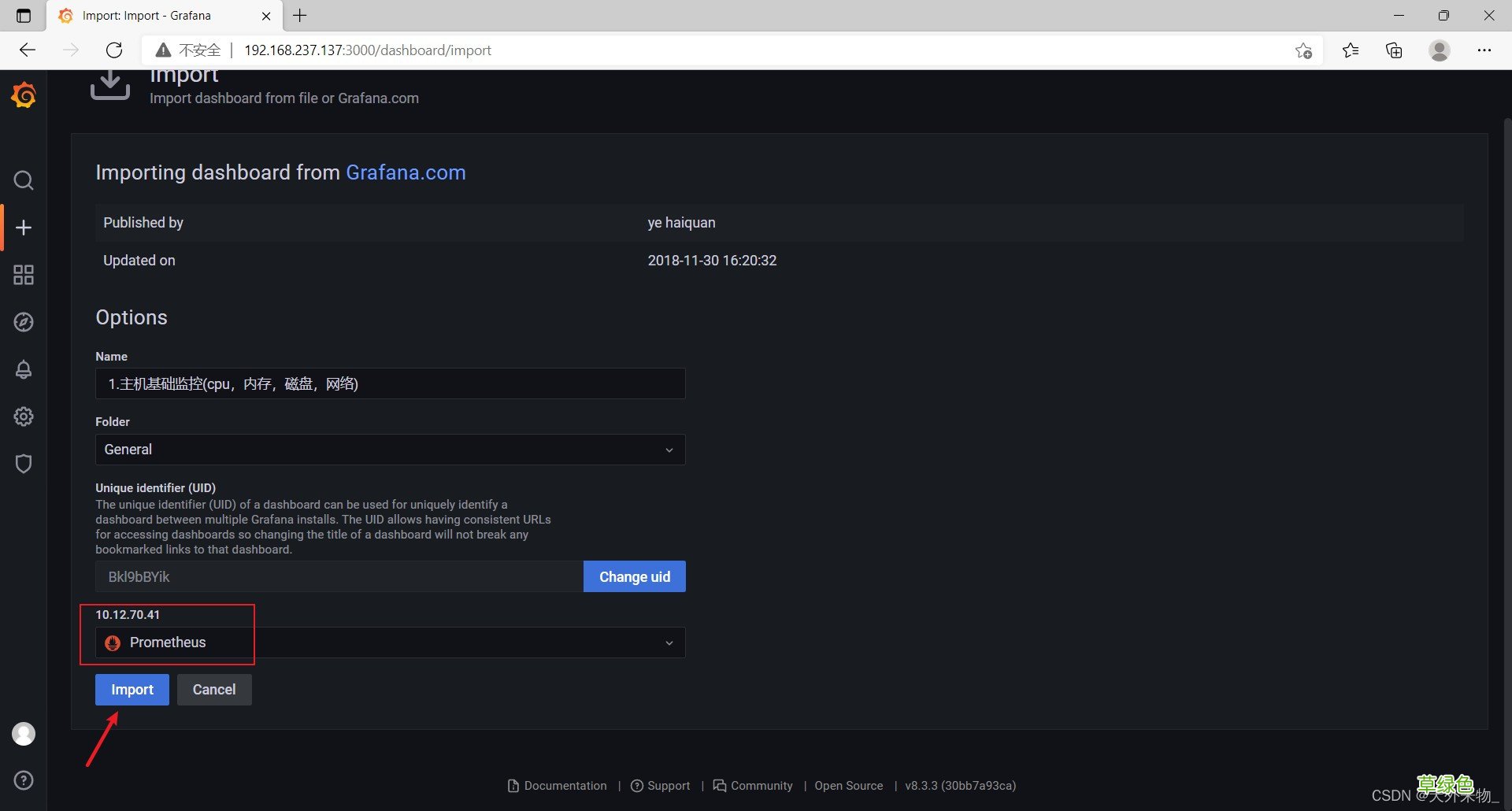
文章插图
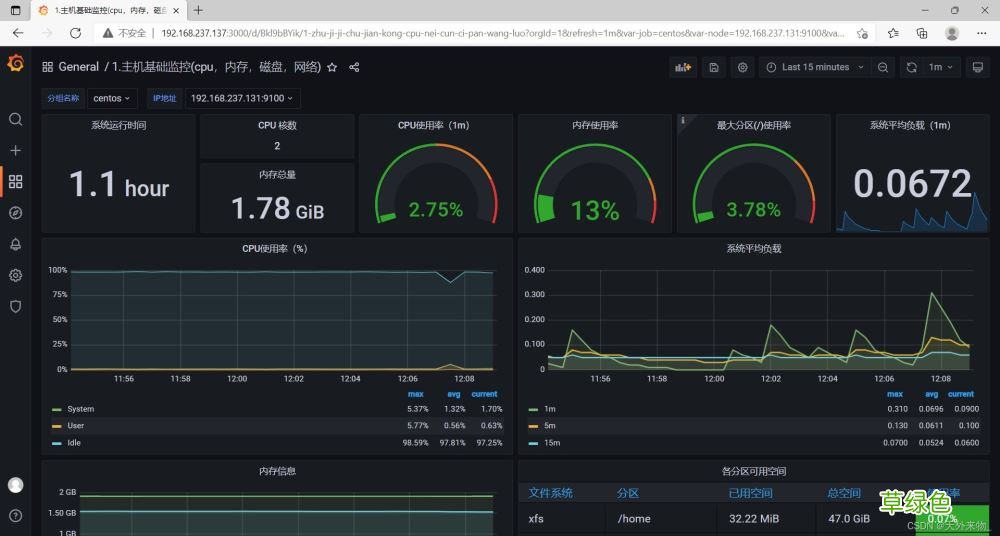
效果图
文章插图
【Prometheus容器化部署的实践方案】到此这篇关于Prometheus容器化部署的文章就介绍到这了,更多相关Prometheus容器化部署内容请搜索考高分网以前的文章或继续浏览下面的相关文章希望大家以后多多支持考高分网!
- 春季老年人吃什么养肝?土豆、米饭换着吃
- 三八妇女节节日祝福分享 三八妇女节节日语录
- 老人谨慎!选好你的“第三只脚”
- 校方进行了深刻的反思 青岛一大学生坠亡校方整改校规
- 脸皮厚的人长寿!有这特征的老人最长寿
- 长寿秘诀:记住这10大妙招 100%增寿
- 春季老年人心血管病高发 3条保命要诀
- 眼睛花不花要看四十八 老年人怎样延缓老花眼
- 香槟然能防治老年痴呆症? 一天三杯它人到90不痴呆
- 老人手抖的原因 为什么老人手会抖